WhatsApp
 Pinterest
 New
New
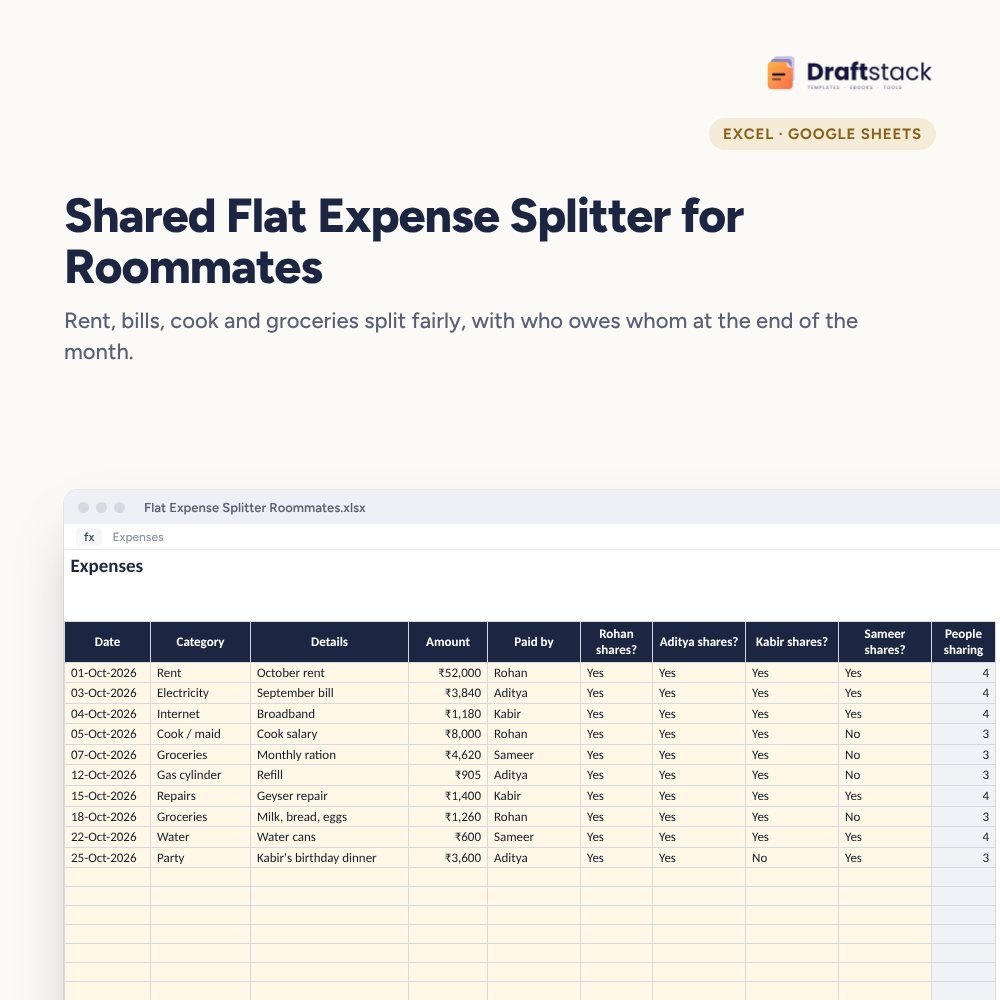
Shared Flat Expense Splitter for Roommates (Excel)
Split rent, bills, the cook's salary and groceries fairly between up to four flatmates, even when not everyone shares every spend, and see exactly who owes whom at the end of the month.
₹99₹249Save ₹150 (60%)
Inclusive of all taxes · One-time payment · Instant download
1 offer for you
Instant downloadOn screen + email
Secure paymentUPI · Cards · Net Banking
7-day helpFix or refund if faulty
Perfect for
Working professionals sharing a flatStudents in shared rooms and PGsCouples sharing a home with friends
What you get2 × .xlsx (blank + sample)
Works withMicrosoft Excel · Google Sheets · WPS Office
DeliveryInstant download
LicencePersonal & own-business use
Frequently bought together
This item: Shared Flat Expense Splitter for Roommates (Excel)₹99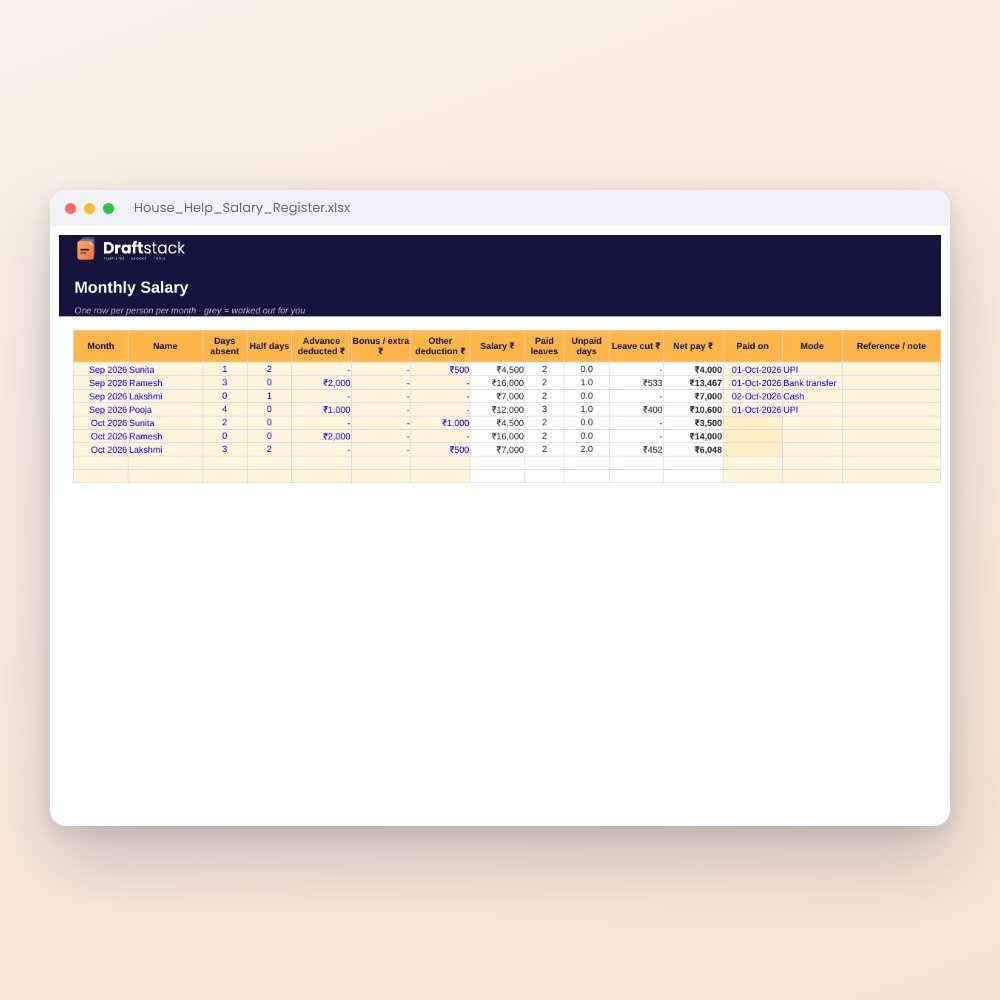 House Help Salary & Attendance Register (Excel): Maid, Cook, Driver, Nanny₹99
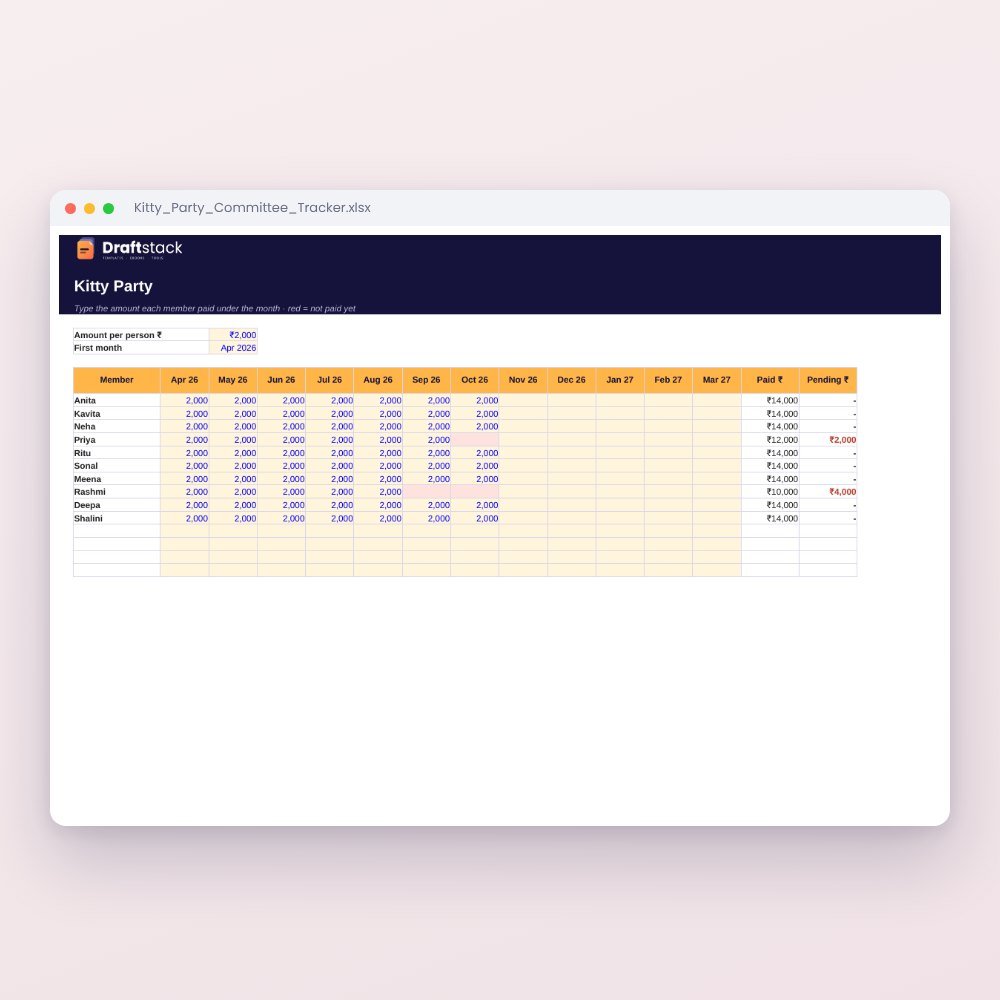 Kitty Party & Committee Tracker (Excel): Payments, Turns, Hosts & Pot₹99
All three: ₹267₹297Extra 10% off
Made for India
UPI includedMade for how India pays today.
Amounts in ₹Money columns are already set to rupees.
Priced in rupeesPay in ₹. Download right after payment.
Equal splits are easy until one flatmate doesn't eat at home, another works from home all day, and someone paid the geyser repair three weeks ago and forgot to mention it. This sheet keeps it fair and visible.
What it does
- Expenses: date, category, amount, who paid, and a Yes/No for each person who shares that spend
- Each share worked out only among the people who share it
- Settle-ups: UPI or cash payments between flatmates
- Balances: what each person paid, their share, what they paid back or got back, and a clear 'Gets ₹1,240' or 'Owes ₹860'
- Who should pay whom: the person who owes most and the person to pay, plus spending by category with a chart
Works for students and working flatmates
Share it as a Google Sheet so everyone can add their spends from their phone. Everyone sees the same numbers, so there's nothing to argue about.
What's inside
Everything you get
01
Expenses
300 shared spends with per-person shares
02
Settle-ups
Payments between flatmates
03
Balances
Who owes whom, by category
04
Blank + sample
Sample month for four flatmates
Files in your download
- XLSXFlat_Expense_Splitter_Roommates.xlsx32 KB
- XLSXFlat_Expense_Splitter_Roommates_SAMPLE.xlsx33 KB
How to use
Start in 5 simple steps
A step-by-step guide is also included inside your download.
- 1
Add names
Up to 4 flatmates
- 2
Log spends
Mark who shares each one
- 3
Settle monthly
Biggest debtor pays first
- 4
Log settle-ups
Balances update
- 5
Share the sheet
As a Google Sheet
FAQ
Questions about this product
What if someone doesn't share groceries?
Mark No in their column for grocery lines. Those are split only among the others.
Can rent be split by room size?
Yes. Add one rent line per room with only that person marked Yes, or agree shares and add separate lines.
Can more than four people use it?
It's set up for four, which suits most flats. For five or six, use two copies or ask us for a bigger version.
How do we all add expenses?
Upload it to Google Drive and share it with your flatmates. Everyone can add from the Google Sheets app.
Does it suggest who pays whom?
It shows each person's balance and names the person who owes the most and the one who should receive. Settle those first.
How do I get the files after payment?
A download button appears on screen right after payment, and the link is emailed to you. You can also download again any time from My account.
Can I use it on my phone?
Yes. It works with Microsoft Excel, Google Sheets, WPS Office. Free mobile apps are enough.
What if something does not work?
Write to us within 7 days with your order number. We will fix it, send a working file, or refund you.
Our promiseEvery file is tested before launch. If something doesn't work, we fix it or refund you within 7 days. Refund policy
Complete the set
Goes well with this
New
 New
New
 New
New
New
New
Excel & Sheets
House Help Salary & Attendance Register (Excel): Maid, Cook, Driver, Nanny
₹99₹24960% off