WhatsApp
 Pinterest
 Top pick
Household Expense Tracker with Daily Entry & Budget (Excel)
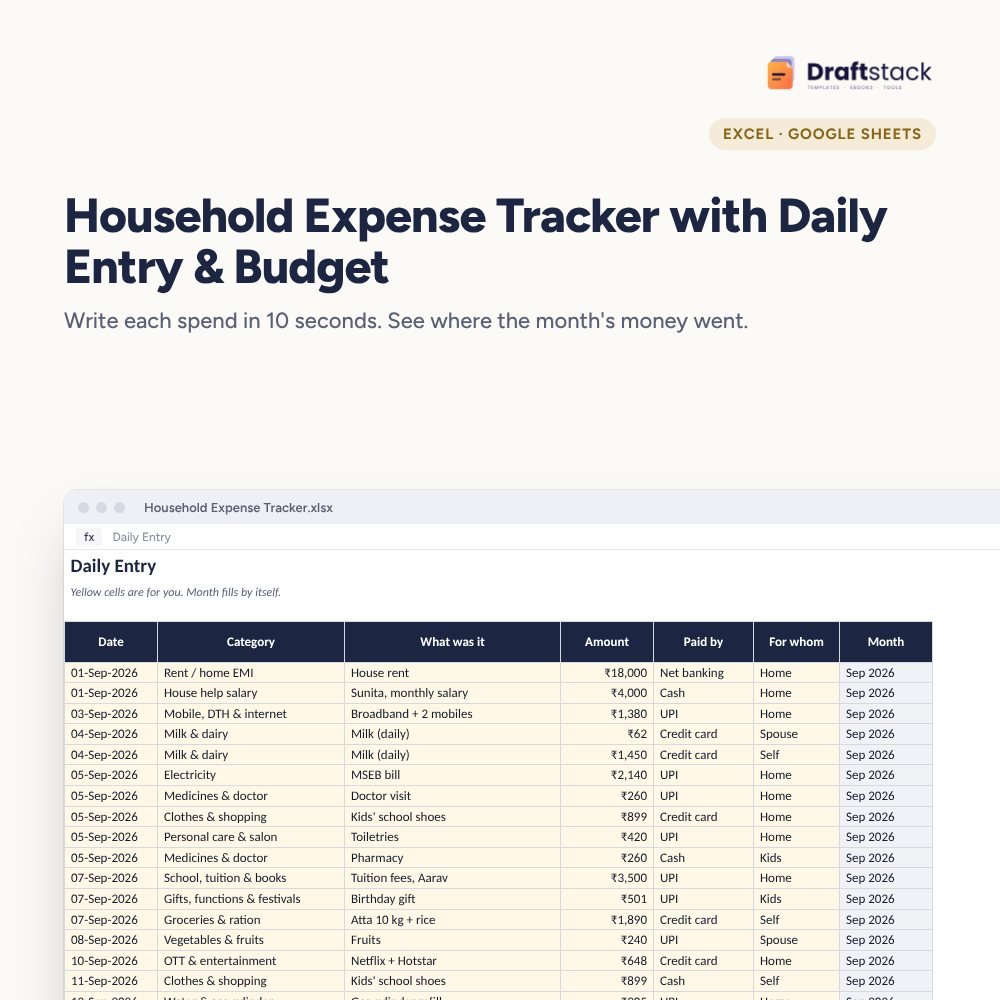
Write each spend in a few seconds, and at the end of the month you know exactly where the money went: groceries, school fees, EMI, Swiggy and everything else, against a budget you set.
₹149₹399Save ₹250 (63%)
Inclusive of all taxes · One-time payment · Instant download
1 offer for you
Instant downloadOn screen + email
Secure paymentUPI · Cards · Net Banking
7-day helpFix or refund if faulty
Perfect for
Families who want to save more each monthCouples managing a joint householdAnyone who gave up on expense apps
What you get2 × .xlsx (blank + sample)
Works withMicrosoft Excel · Google Sheets · WPS Office
DeliveryInstant download
LicencePersonal & own-business use
Frequently bought together
This item: Household Expense Tracker with Daily Entry & Budget (Excel)₹149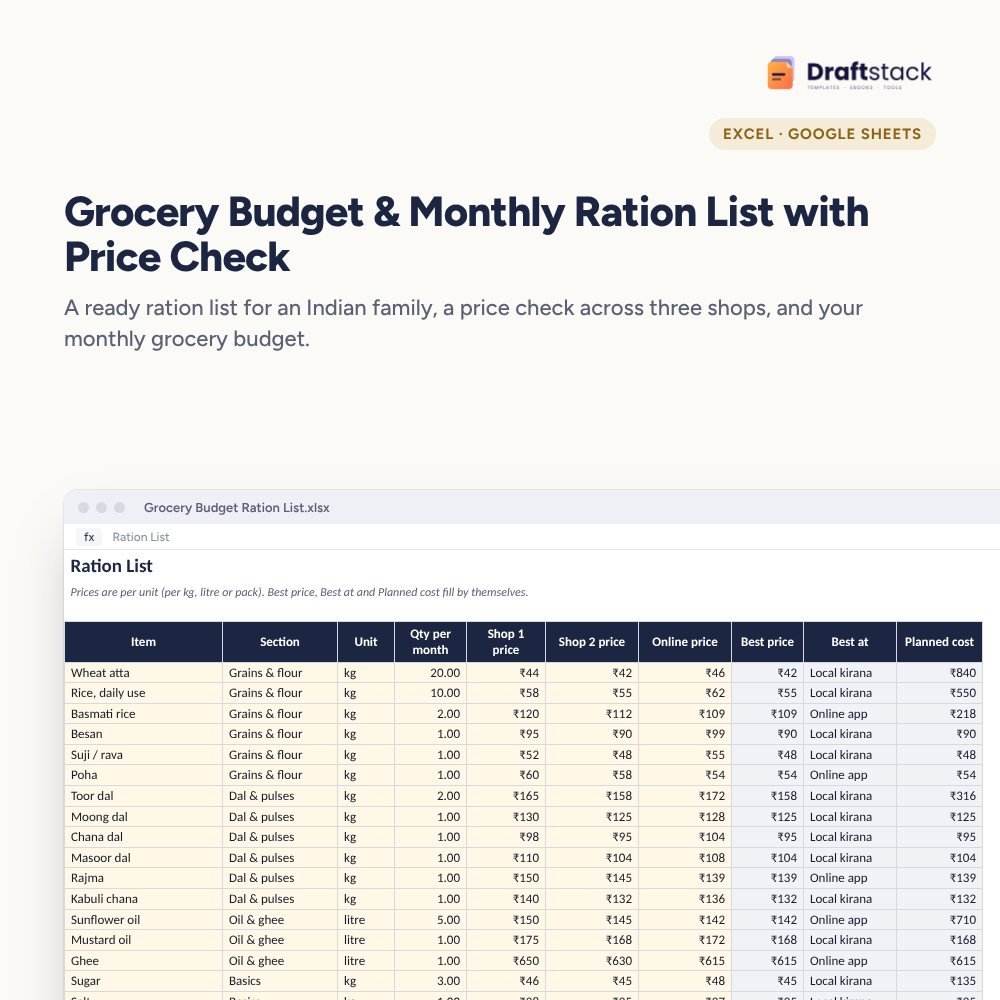 Grocery Budget & Monthly Ration List with Price Check (Excel)₹129Monthly Family Budget Planner₹149
All three: ₹384₹427Extra 10% off
Made for India
Indian festivalsDiwali.
UPI includedMade for how India pays today.
Amounts in ₹Money columns are already set to rupees.
Priced in rupeesPay in ₹. Download right after payment.
Most families know their salary to the rupee but can't say where ₹20,000 went last month. This tracker fixes that with one habit: a line for every spend.
What it does
- Daily Entry: date, category, what it was, amount, UPI/cash/card and for whom. Drop-downs make each line quick
- 18 categories made for Indian homes: ration, vegetables, milk, rent or EMI, electricity, gas cylinder, tuition, house help, festivals and more. Rename them any time
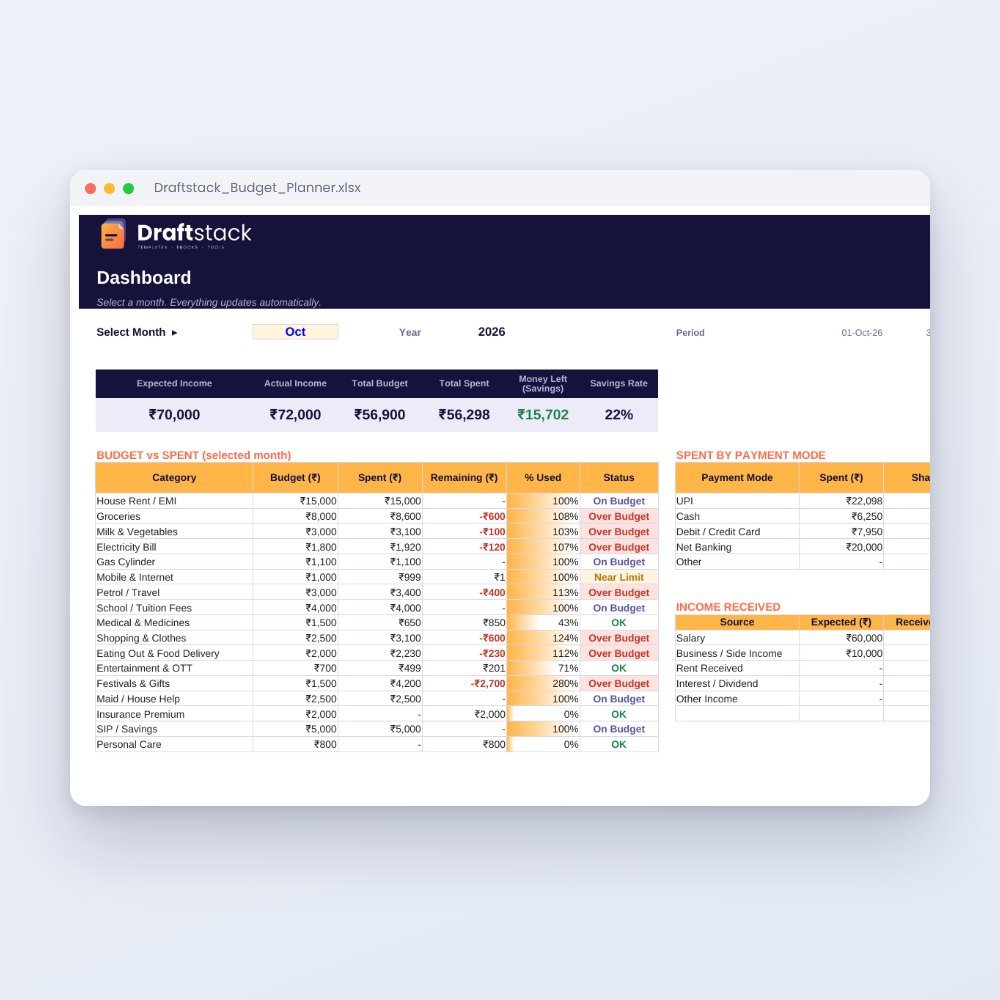
- Budget: set a limit per category; it turns amber at 85% and red when you cross it
- Dashboard: income, spent, saved and savings rate for any month you pick, with a category chart
- Year View: 12 months side by side, so the heavy months (school fees, Diwali, insurance) don't surprise you next year
Who it suits
Families on one or two incomes, couples who share expenses, and anyone who has tried an app and stopped after a week. A spreadsheet you own has no ads, no login and no data leaving your phone.
What's inside
Everything you get
01
Blank tracker
Ready for your own spends, 600 lines
02
Sample file
Two months of real-looking entries so you can see how it works
03
Budget sheet
18 categories with alerts
04
Dashboard & Year View
Monthly and yearly summary with charts
Files in your download
- XLSXHousehold_Expense_Tracker.xlsx38 KB
- XLSXHousehold_Expense_Tracker_SAMPLE.xlsx41 KB
How to use
Start in 5 simple steps
A step-by-step guide is also included inside your download.
- 1
Open the blank file
Excel, Google Sheets or WPS Office
- 2
Type your income
And pick the month on Settings
- 3
Set budgets
One number per category
- 4
Add spends daily
Takes under a minute a day
- 5
Review on the 1st
Dashboard shows what to change
FAQ
Questions about this product
Does it work on a phone?
Yes. Open it in the free Google Sheets or Excel app. The drop-downs work on a phone too.
Can I change the categories?
Yes. Edit the Lists sheet. Budget and Dashboard pick up the new names automatically.
How do I add UPI spends without typing each one?
Many people check their UPI app history once at night and add the day's spends in one go. It takes two or three minutes.
Is there a limit on entries?
600 lines are ready, which is enough for most homes for a year. You can copy the last row down for more.
Will my data be uploaded anywhere?
No. It's your own file. Nothing is sent to us or anyone else.
How do I get the files after payment?
A download button appears on screen right after payment, and the link is emailed to you. You can also download again any time from My account.
Can I use it on my phone?
Yes. It works with Microsoft Excel, Google Sheets, WPS Office. Free mobile apps are enough.
What if something does not work?
Write to us within 7 days with your order number. We will fix it, send a working file, or refund you.
Our promiseEvery file is tested before launch. If something doesn't work, we fix it or refund you within 7 days. Refund policy
Complete the set
Goes well with this
Top pick
 New
New
Excel & Sheets
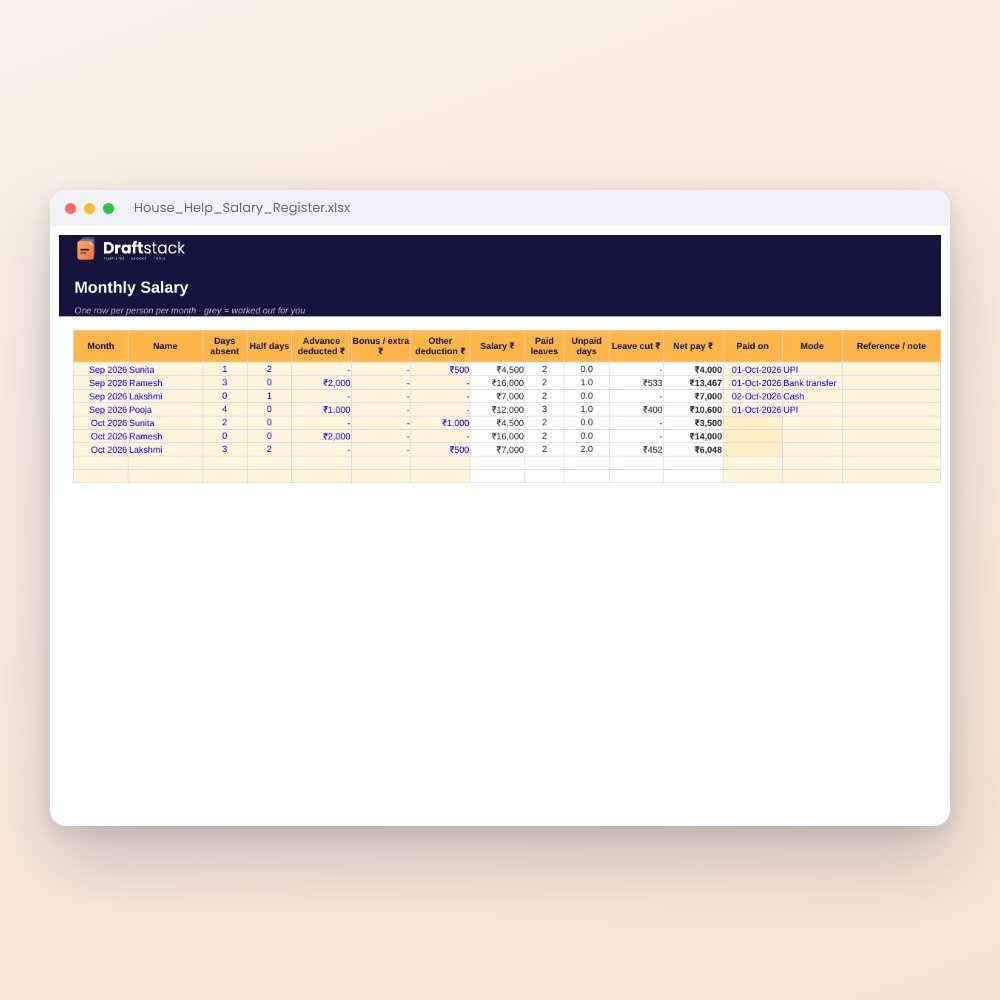
House Help Salary & Attendance Register (Excel): Maid, Cook, Driver, Nanny
₹99₹24960% off
 New
New