WhatsApp
 Pinterest
 New
New
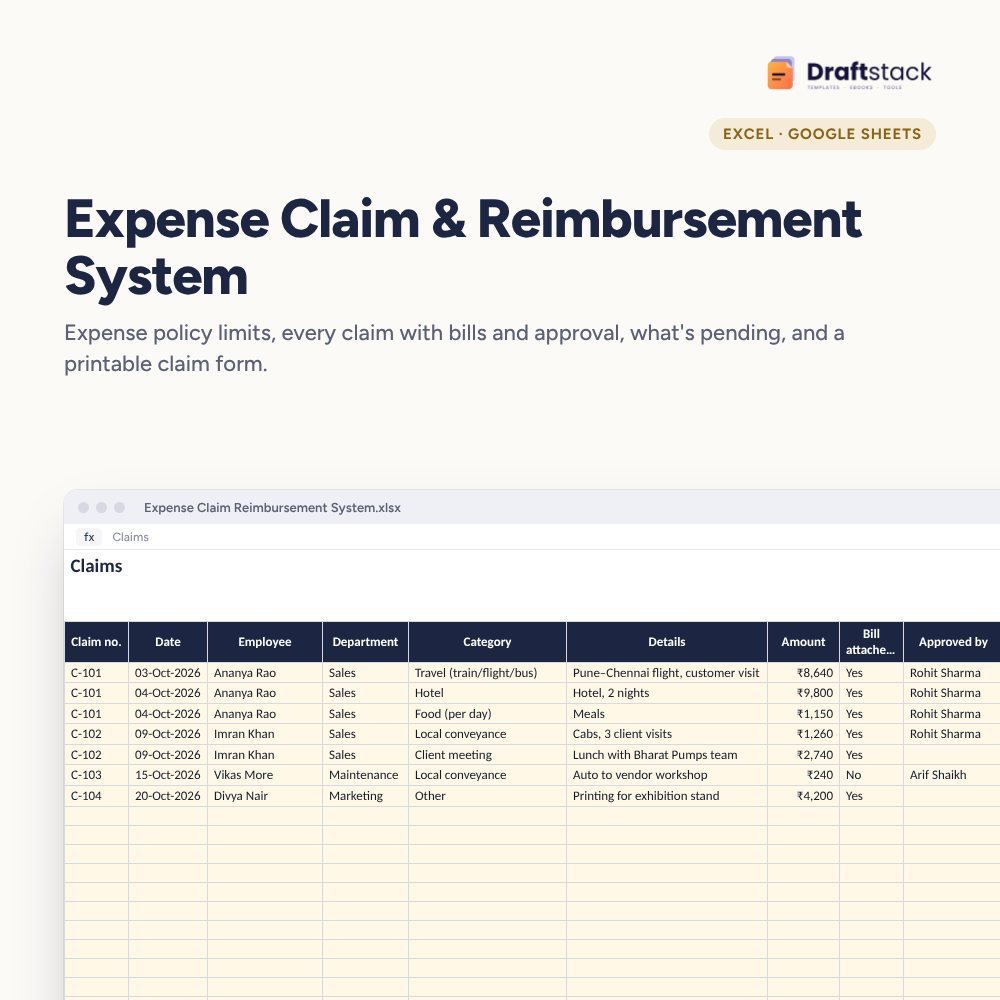
Expense Claim & Reimbursement System (Excel)
Run employee expense claims properly: a policy with limits by category, every claim line with bill, approval and payment status, automatic over-limit and missing-bill checks, and a printable claim form.
₹349₹799Save ₹450 (56%)
Inclusive of all taxes · One-time payment · Instant download
1 offer for you
Instant downloadOn screen + email
Secure paymentUPI · Cards · Net Banking
7-day helpFix or refund if faulty
Perfect for
Accounts and HR teamsSales teams that travelFounders approving claims
What you get2 × .xlsx (blank + sample)
Works withMicrosoft Excel · Google Sheets · WPS Office
DeliveryInstant download
LicencePersonal & own-business use
Frequently bought together
This item: Expense Claim & Reimbursement System (Excel)₹349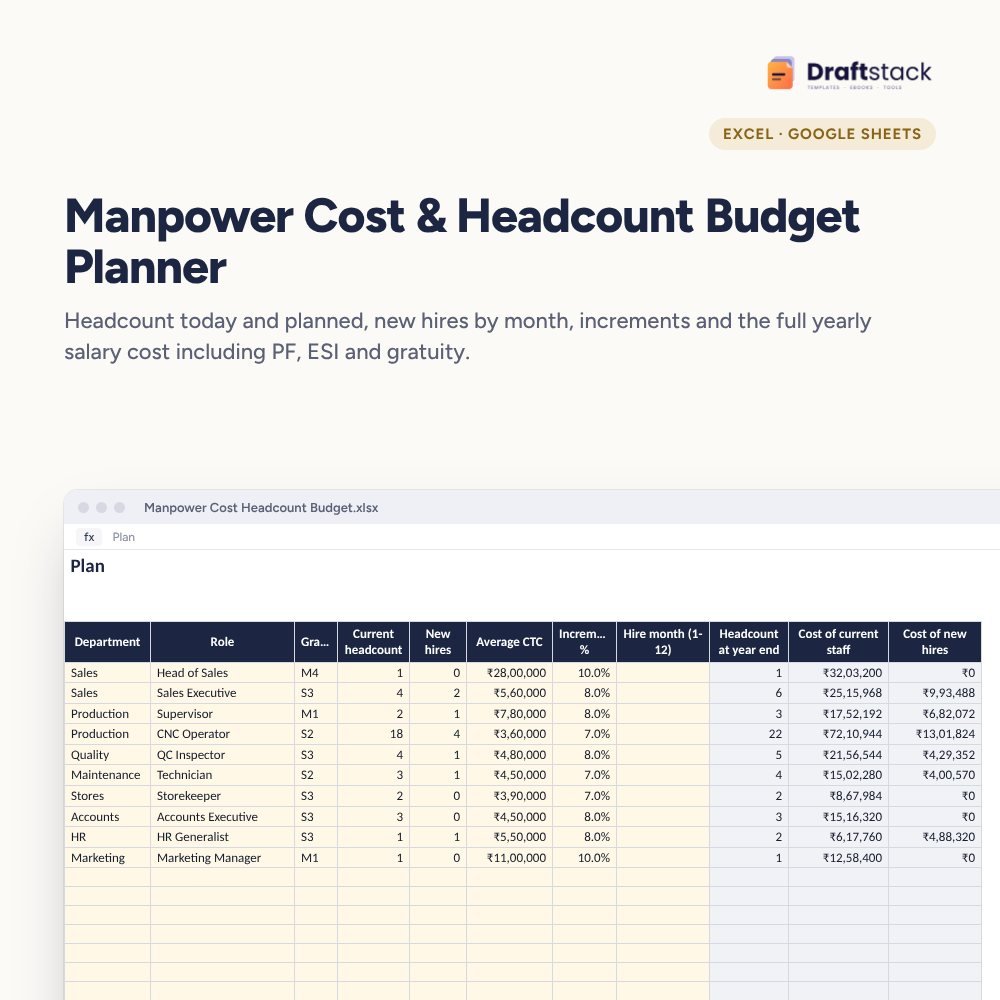 Manpower Cost & Headcount Budget Planner (Excel)₹449
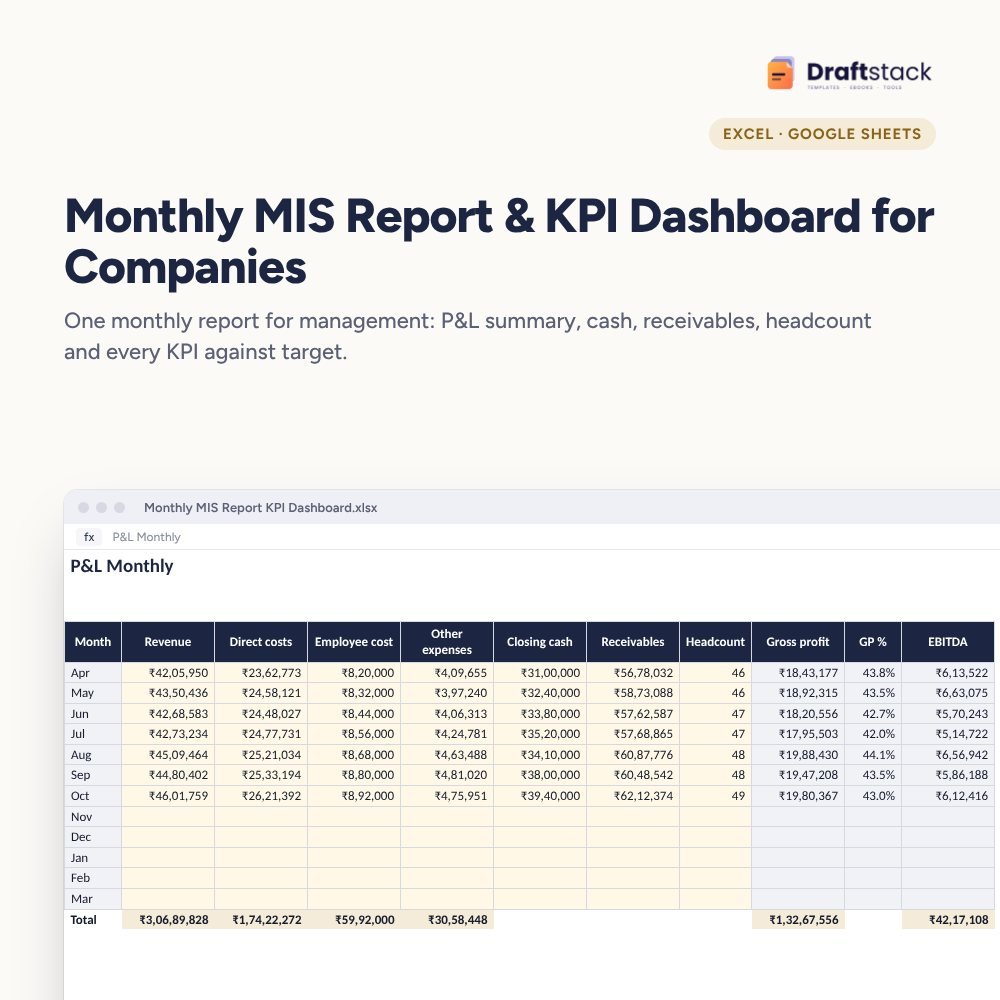 Monthly MIS Report & KPI Dashboard for Companies (Excel)₹499
All three: ₹1,167₹1,297Extra 10% off
Made for India
Amounts in ₹Money columns are already set to rupees.
Share on WhatsAppSend it straight to family or customers.
Priced in rupeesPay in ₹. Download right after payment.
Expense claims usually arrive as a pile of crumpled bills and a WhatsApp photo. Accounts can't tell what's approved, employees don't know when they'll be paid, and policy limits are applied differently each time.
What it does
- Policy: categories with a limit per line (0 for actuals) and the amount above which a bill is required
- Claims: claim number, date, employee, department, category, details, amount, bill attached, approver, approved amount and paid date
- Checks: 'Over limit by ₹800' or 'Bill needed' on each line
- Status: Pending, Approved or Paid
- Claim Form: type a claim number for a printable form with all its lines and signature spaces
- Summary: claimed, approved, pending approval, approved but not paid, and spend by category
Clear for everyone
Employees see the rules, approvers see what they're signing, accounts sees what to pay.
What's inside
Everything you get
01
Policy
Limits and bill rules by category
02
Claims
800 lines with checks and status
03
Claim Form
Printable for any claim
04
Blank + sample
Sample with four claims
Files in your download
- XLSXExpense_Claim_Reimbursement_System.xlsx98 KB
- XLSXExpense_Claim_Reimbursement_System_SAMPLE.xlsx99 KB
How to use
Start in 5 simple steps
A step-by-step guide is also included inside your download.
- 1
Set limits
Per category
- 2
Log claims
One line per expense
- 3
Approve
Name and amount
- 4
Print the form
For signatures
- 5
Pay on time
Within 7 days
FAQ
Questions about this product
Can one claim have several lines?
Yes. Use the same claim number; the claim form shows up to 12 lines.
What if someone spends above the limit?
The line is flagged. The approver can approve the limit amount or the full amount with a reason.
Does it handle advances?
Log an advance as a negative line in the claim, so the form shows the net amount to pay.
Can employees fill it themselves?
Yes, in Google Sheets with edit access to the Claims sheet, or they can send details for HR to enter.
Is GST tracked?
Note GST invoices in Details. Your accountant can then claim input tax credit where allowed.
How do I get the files after payment?
A download button appears on screen right after payment, and the link is emailed to you. You can also download again any time from My account.
Can I use it on my phone?
Yes. It works with Microsoft Excel, Google Sheets, WPS Office. Free mobile apps are enough.
What if something does not work?
Write to us within 7 days with your order number. We will fix it, send a working file, or refund you.
Our promiseEvery file is tested before launch. If something doesn't work, we fix it or refund you within 7 days. Refund policy
Complete the set
Goes well with this
New
New
 New
New
 New
New
Excel & Sheets
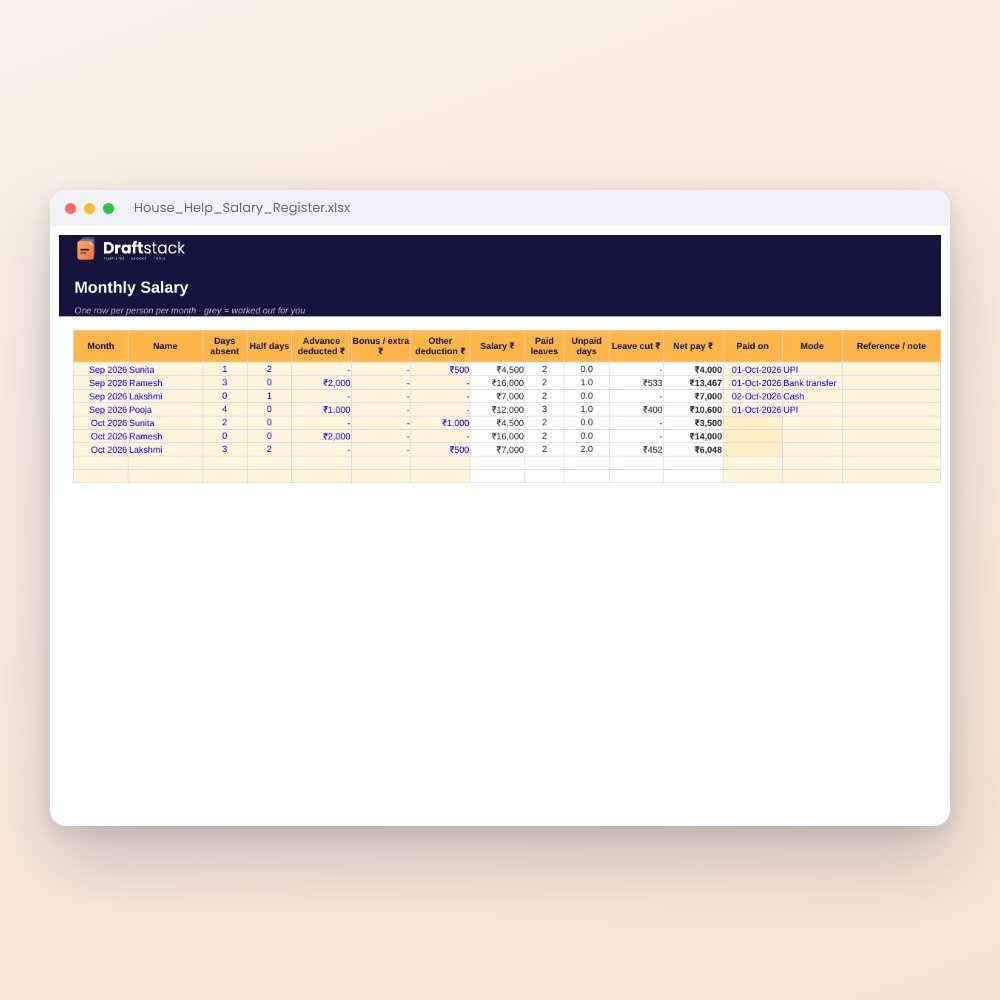
House Help Salary & Attendance Register (Excel): Maid, Cook, Driver, Nanny
₹99₹24960% off