WhatsApp
 Pinterest
 New -63%
Family Emergency & Nominee Organizer (Excel + Claim Guide)
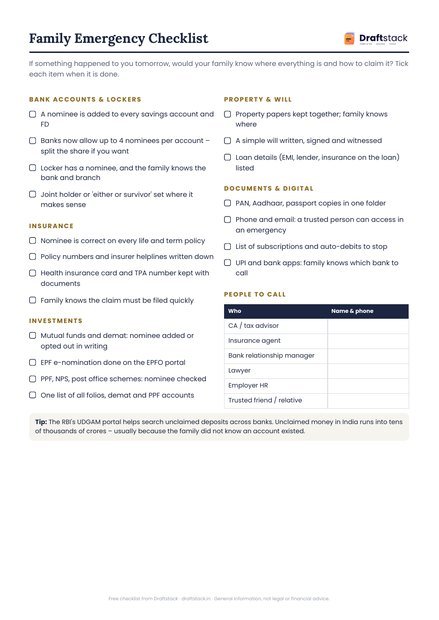
If something happened to you tomorrow, would your family know every account, policy and nominee? One Excel file lists it all, flags every missing nominee and comes with a step-by-step claim guide.
₹199₹499Save ₹300 (60%)
Inclusive of all taxes · One-time payment · Instant download
Extra 20% off with code LAUNCH20 at checkout
Instant downloadOn screen + email
Secure paymentUPI · Cards · Net Banking
7-day helpFix or refund if faulty
Perfect for
Every earning member of a familyParents planning for their childrenChildren helping elderly parents organiseNRIs with accounts in India
What you get2 × .xlsx (blank + sample) + 2 × PDF (claim guide, printable file)
Works withMicrosoft Excel · Google Sheets · WPS Office · Any PDF reader
DeliveryInstant download
LicencePersonal & own-business use
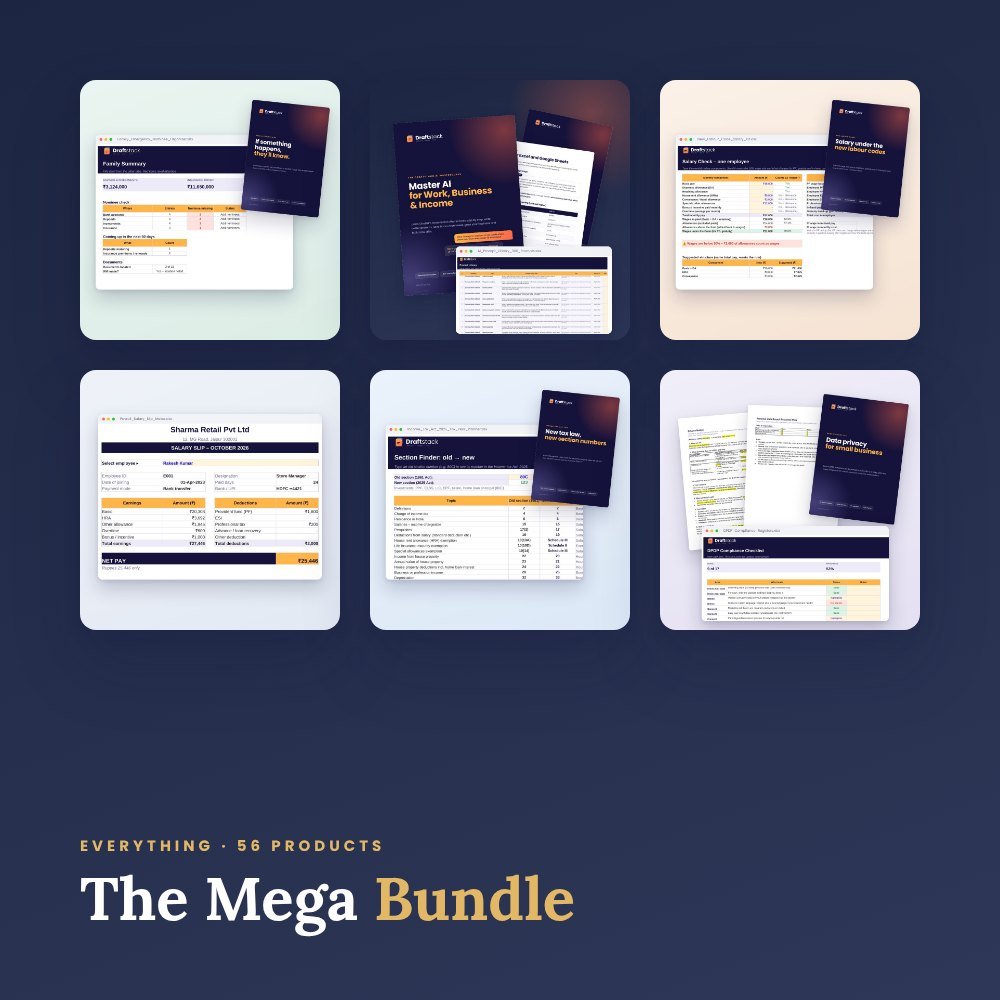 Get everything we makeDraftstack Mega Bundle: Everything · ₹1,999 · you save ₹7,965See →
In most families only one person knows where all the money is. If that person can't tell the family, accounts go unclaimed, policies lapse and claims get stuck. Unclaimed bank deposits with the RBI's DEA Fund crossed ₹98,000 crore in January 2026.
This organizer puts everything in one place, so your family always knows what you have, who the nominee is, and what to do.
What's inside
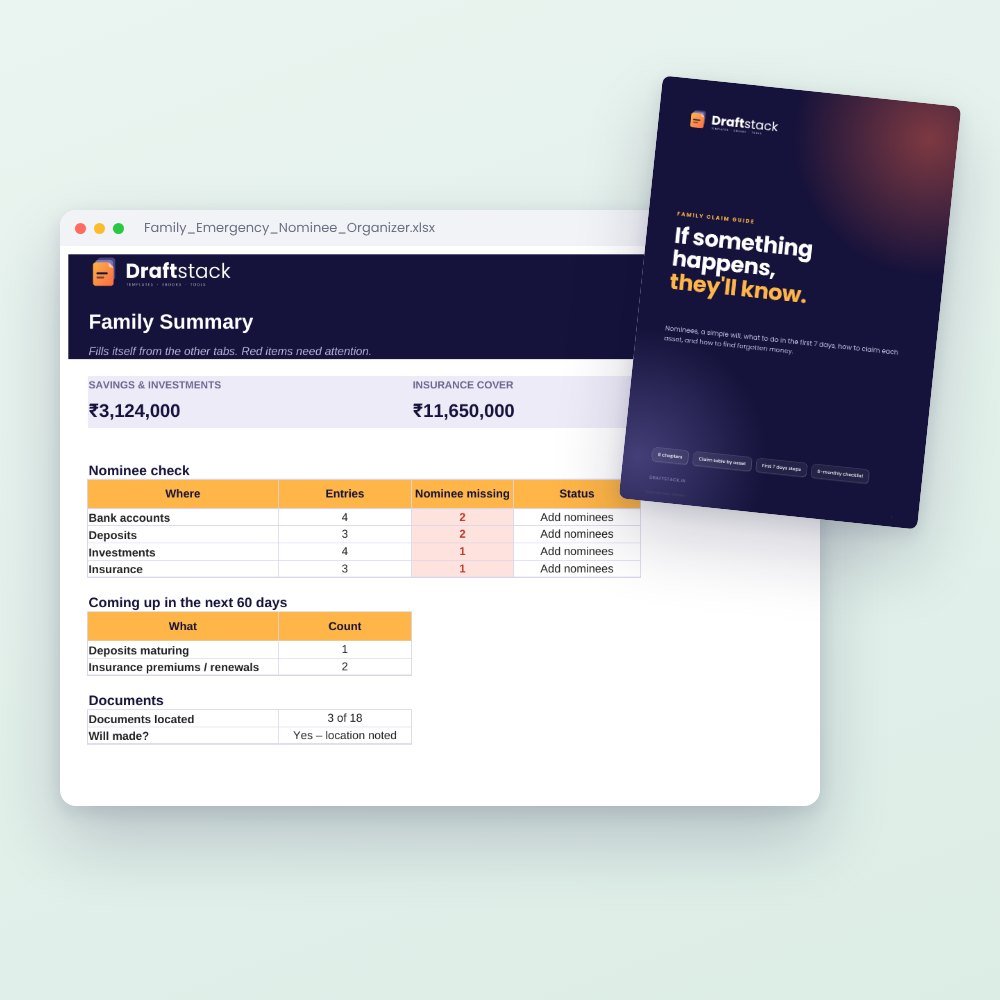
- Family Summary dashboard: total savings and investments, insurance cover, loans, and a nominee check for every category
- Bank accounts & lockers: with up to 4 nominees per account (allowed since 1 November 2025)
- Deposits, PPF & post office schemes with maturity alerts
- Investments: mutual funds, shares, EPF, NPS, gold bonds, with *where to claim* filled in automatically
- Insurance, loans & EMIs, property & vehicles
- Documents locator: where every important paper is kept, at home, in the locker or in DigiLocker
- Digital life & auto-debits: email, phone and apps (never passwords) and every SIP, EMI and subscription
- Emergency info: health basics and the first steps for the family
Also included
- Family Claim Guide (PDF, 10 pages): nominee vs legal heir, a simple will, the first 7 days, how to claim each asset, and how to find forgotten money
- Printable Family Emergency File (PDF): fill by hand and keep with your important papers
General information, not legal or financial advice.
What's inside
Everything you get
01
Family Summary
Totals, nominee check for banks, deposits, investments and insurance, items due in 60 days
02
Money tabs
Bank accounts, deposits, investments, insurance, loans – red cell when a nominee is missing
03
Documents Locator
18 key documents pre-listed with where each is kept
04
Digital Life & Auto-debits
Access instructions (no passwords) and every recurring payment
05
Claim Guide (PDF)
8 short chapters with a claim table by asset
06
Printable File (PDF)
6-part fill-by-hand emergency file
Files in your download
- Family_Emergency_Nominee_Organizer.xlsx451 KB
- Family_Emergency_Nominee_Organizer_SAMPLE.xlsx453 KB
- Family_Claim_Guide.pdf179 KB
- Family_Emergency_File_Printable.pdf138 KB
How to use
Start in 5 simple steps
A step-by-step guide is also included inside your download.
- 1
Fill the money tabs
One row per account, policy or investment
- 2
Fix red cells
Add the missing nominee at the bank or company
- 3
Note documents
Where each paper is kept
- 4
Protect the file
Add a password and tell one trusted person where it is
- 5
Review every 6 months
And after any new account or policy
FAQ
Questions about this product
Is it safe to keep this information in a file?
The file never asks for passwords, PINs or full account numbers – last 4 digits are enough. Protect it with a password and keep a printed copy in a safe place.
Does it work on mobile?
Yes, open it in Google Sheets or the Excel app. The PDF guide reads well on a phone.
Is the claim guide legal advice?
No. It explains the usual steps in plain words. Each bank or insurer has its own checklist, and a lawyer helps with succession.
How do I get the files after payment?
A download button appears on screen right after payment, and the link is emailed to you. You can also download again any time from My account.
Can I use it on my phone?
Yes. It works with Microsoft Excel, Google Sheets, WPS Office, Any PDF reader. Free mobile apps are enough.
What if something does not work?
Write to us within 7 days with your order number. We will fix it, send a working file, or refund you.
Our promiseEvery file is tested before launch. If something doesn't work, we fix it or refund you within 7 days. Refund policy
More to explore
You may also like
New -63%
 New -63%
 Trending -58%
 Trending -58%