How to Make a Marksheet in Excel with Grades and Rank
Making a result sheet in Excel takes about ten minutes once you know five formulas. Here is how, with a class of students and six subjects.
Set up the sheet
Put headings in row 1: Roll, Name, then the six subjects (English, Hindi, Maths, Science, Social Science, Computer), then Total, Percentage, Grade, Result and Rank. Each student gets one row. Type maximum marks per subject in a cell, say Settings!B1 = 100.
Total and percentage
- Total: `=SUM(C2:H2)` adds the six subjects.
- Percentage: `=I2/(100*6)` and format the cell as percentage. If subjects are out of 80, change 100 to 80.
Grade with IF
A common 8-point scale is A1 (91 to 100), A2 (81 to 90), B1 (71 to 80), B2 (61 to 70), C1 (51 to 60), C2 (41 to 50), D (33 to 40) and E (below 33). With the percentage in J2:
`=IF(J2>=91%,"A1",IF(J2>=81%,"A2",IF(J2>=71%,"B1",IF(J2>=61%,"B2",IF(J2>=51%,"C1",IF(J2>=41%,"C2",IF(J2>=33%,"D","E")))))))`
Read it from the left: the first condition that is true decides the grade. Use your board's own scale if it is different.
Pass or fail in every subject
A student who scores 95 in five subjects and 20 in one has still failed that subject. Check the lowest mark:
`=IF(MIN(C2:H2)>=33,"Pass","Fail")`
Rank
`=RANK(I2,$I$2:$I$41)` ranks the total among all 40 students. The $ signs keep the range fixed when you copy the formula down. Equal totals get the same rank.
Make it readable
- Conditional formatting: highlight "Fail" in red and ranks 1 to 3 in green.
- Freeze the first row and the name column.
- Subject averages: `=AVERAGE(C2:C41)` under each subject show which subject needs attention.
The marksheet for each student
On a new sheet, type a roll number in one cell and use INDEX and MATCH to bring that student's name and marks: `=INDEX(Marks!B:B,MATCH(B1,Marks!A:A,0))`. Change the roll number and print.
Common mistakes
- Typing totals by hand instead of using SUM, so one changed mark leaves the total wrong.
- Forgetting the $ signs in RANK, so ranks change as you copy the formula down.
- Absent students left blank and counted as zero. Mark them clearly, for example "AB", and decide how your school treats them.
Skip the setup
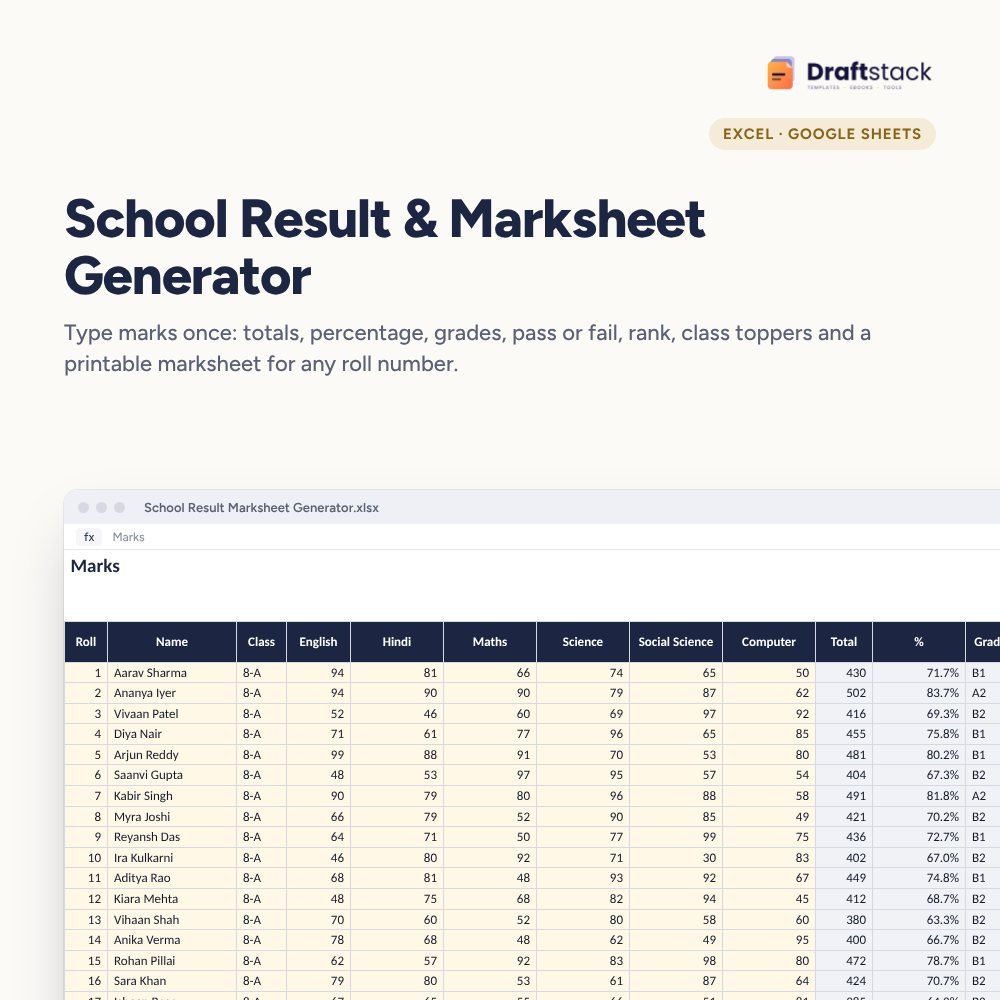
Our School Result & Marksheet Generator has all of this ready: grades, pass or fail, rank, toppers, subject averages and a printable marksheet for any roll number.
 The template from this guideSchool Result & Marksheet Generator: Grades + Rank (Excel)
₹149
 WhatsApp
Free Monthly Budget Sheet
A printable one-page budget sheet: income, fixed bills, daily spending and savings for the month. Print it or fill it on your phone.
More guides
How Partners Share Profit: Capital, Interest and Salary
How a partnership firm divides profit in India: interest on capital, remuneration, profit sharing ratio and capital accounts, with a worked example.
Prepay Home Loan or Invest? Simple Math with Examples
How much a home loan prepayment really saves, when investing the money may be better, and how to decide with a simple comparison.
How to Write a Business Plan for a Small Business in India
How to write a business plan for a shop or small business in India: the nine sections, estimating sales and costs, and finding your break-even month.