WhatsApp
 Pinterest
 New
School Result & Marksheet Generator: Grades + Rank (Excel)
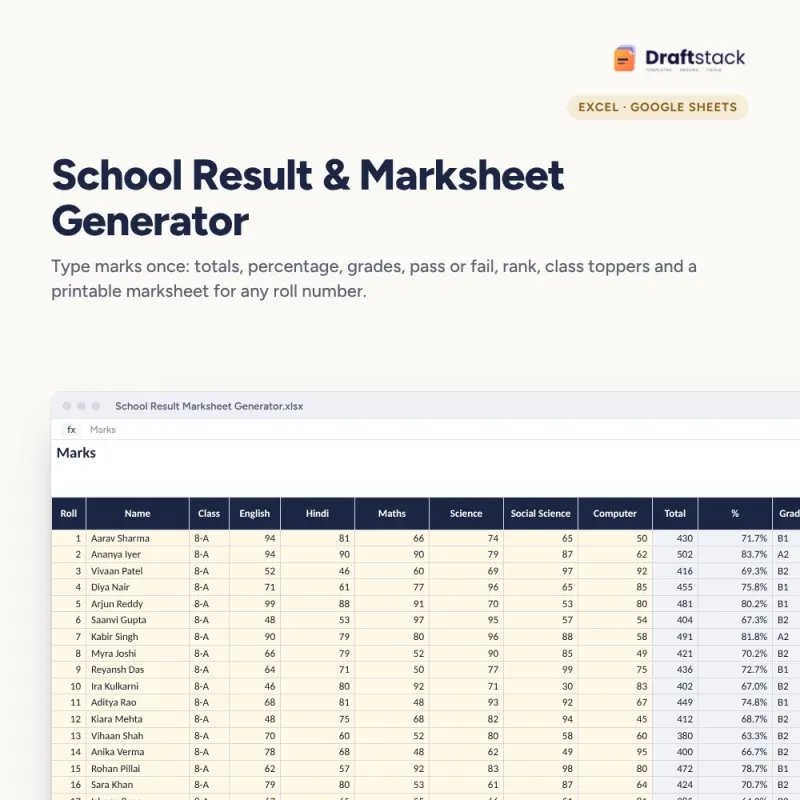
For teachers and schools: type marks once and get totals, percentages, grades, pass or fail, ranks, class toppers, subject averages and a printable marksheet for every student.
₹112₹499Save ₹387 (78%)
Inclusive of all taxes · One-time payment · Instant download
See a free sample (PDF) Diwali Sale: 25% off, ends 08 Nov, 11:59 PM
Instant downloadOn screen + email
Secure paymentUPI · Cards · Net Banking
7-day helpFix or refund if faulty
Perfect for
Class teachers and school officesCoaching institutes and tuition centresTeachers preparing unit test results
What you get2 × .xlsx (blank + sample)
Works withMicrosoft Excel · Google Sheets · WPS Office
DeliveryInstant download
LicencePersonal & own-business use
 Get the whole Mega BundleCareer, Skills & Money Mega Bundle: Resume, Study, AI, Office & Tax Tools · ₹2,949 · you save ₹10,446See →
Frequently bought together
 This item: School Result & Marksheet Generator: Grades + Rank (Excel)₹112
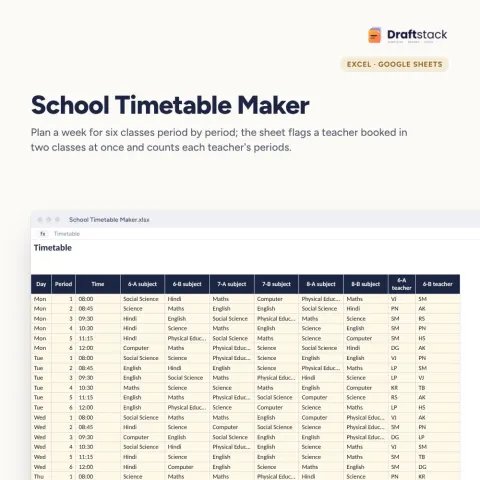
 School Timetable Maker with Teacher Clash Check (Excel)₹149
 Student Attendance Register with % and Defaulter List (Excel)₹112
All three: ₹373Sale prices
Result day means hours of adding marks, checking grades and copying them into report cards, with errors parents notice. This generator does the arithmetic and the report card from one marks sheet.
What it does
- Marks: roll, name, class and six subjects (rename them), up to 80 students
- Results: total, percentage, grade on an 8-point scale, pass or fail (every subject at or above the pass mark) and rank; failures in red, top three in green
- Class Summary: students, passed, pass %, class average, top five students and subject averages with a chart
- Marksheet: type a roll number and print that student's report card with marks, grades, percentage, result and rank
Who it suits
Class teachers, coaching institutes, small schools and tuition centres.
What's inside
Everything you get
01
Marks
Six subjects with automatic results
02
Class Summary
Pass %, toppers, subject averages
03
Marksheet
Printable report card by roll number
04
Blank + sample
Sample class of 20 students
Files in your download
- XLSXSchool_Result_Marksheet_Generator.xlsx21 KB
- XLSXSchool_Result_Marksheet_Generator_SAMPLE.xlsx22 KB
How to use
Start in 5 simple steps
A step-by-step guide is also included inside your download.
- 1
Set the exam
School, class, max marks, pass %
- 2
Rename subjects
In the Marks headings
- 3
Type marks
One row per student
- 4
Check results
Red rows first
- 5
Print marksheets
Change the roll number
FAQ
Questions about this product
Can I change the grading scale?
Yes. The grade formula uses a common 8-point scale. Edit the thresholds in the Grade column if your board uses another.
What if a subject is out of 80, not 100?
Set Maximum marks per subject to 80. All subjects use the same maximum in this version.
How is rank decided?
By total marks. Students with equal totals share a rank.
Can I print all marksheets?
Change the roll number and print, one student at a time. It takes a few seconds each.
Does it work in Google Sheets?
Yes.
How do I get the files after payment?
A download button appears on screen right after payment, and the link is emailed to you. You can also download again any time from My account.
Can I use it on my phone?
Yes. It works with Microsoft Excel, Google Sheets, WPS Office. Free mobile apps are enough.
What if something does not work?
Write to us within 7 days with your order number. We will fix it, send a working file, or refund you.
Our promiseEvery file is tested before launch. If something doesn't work, we fix it or refund you within 7 days. Refund policy
Complete the set
Goes well with this
New
 New
 New
 New
Excel & Sheets
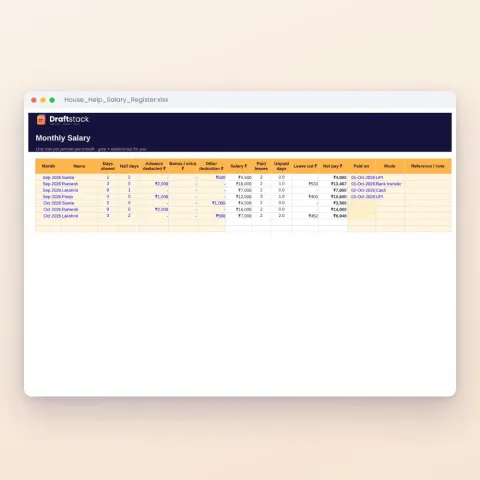
House Help Salary & Attendance Register (Excel): Maid, Cook, Driver, Nanny
Sale₹74₹24970% off