How to Make a School Timetable Without Clashes
A school timetable is a puzzle with three kinds of pieces: classes, teachers and periods. The trick is to place the hardest pieces first and check for clashes as you go, not at the end.
Step 1: count the periods
For each class, list how many periods each subject needs per week, as per your curriculum. For example, a class with 36 periods a week might have English 6, Hindi 5, Maths 7, Science 6, Social Science 5, Computer 2, Physical Education 2, Library and activity 3. Check that the total matches the periods available.
Step 2: list teachers and their limits
Write each teacher's subjects, the classes they take, and the maximum periods they should have in a week. Note part-time teachers and those who are available only on some days.
Step 3: place the hard constraints first
- Periods that need a special room: computer lab, science lab, sports ground.
- Teachers who are shared between sections or available only on certain days.
- Double periods for practicals.
Put these in the grid before anything else.
Step 4: fill the rest, one teacher at a time
Take the teacher with the most periods and spread their classes across the week. Avoid giving one class the same subject twice in a day unless planned. Keep heavy subjects like Maths in the first half of the day where possible.
Step 5: check clashes after every row
A clash is one teacher in two classes in the same period. In a spreadsheet, put each class's teacher code in a row for that period and count duplicates: `=SUMPRODUCT((LEN(J2:O2)>0)*(COUNTIF(J2:O2,J2:O2)>1))` returns the number of double-booked teachers in that row. Colour the row red when it is above zero.
Step 6: balance the load
Count each teacher's periods for the week with COUNTIF across the whole grid. If one teacher has far more than others, swap a few periods. Leave one free period for most teachers each day to cover absences.
Changes during the year
When a teacher leaves or a class is added, change only the affected cells and check the clash count again. Keep a copy of the old timetable before you start.
Our School Timetable Maker with Teacher Clash Check has the grid, drop-downs, clash check and teacher load ready for six classes.
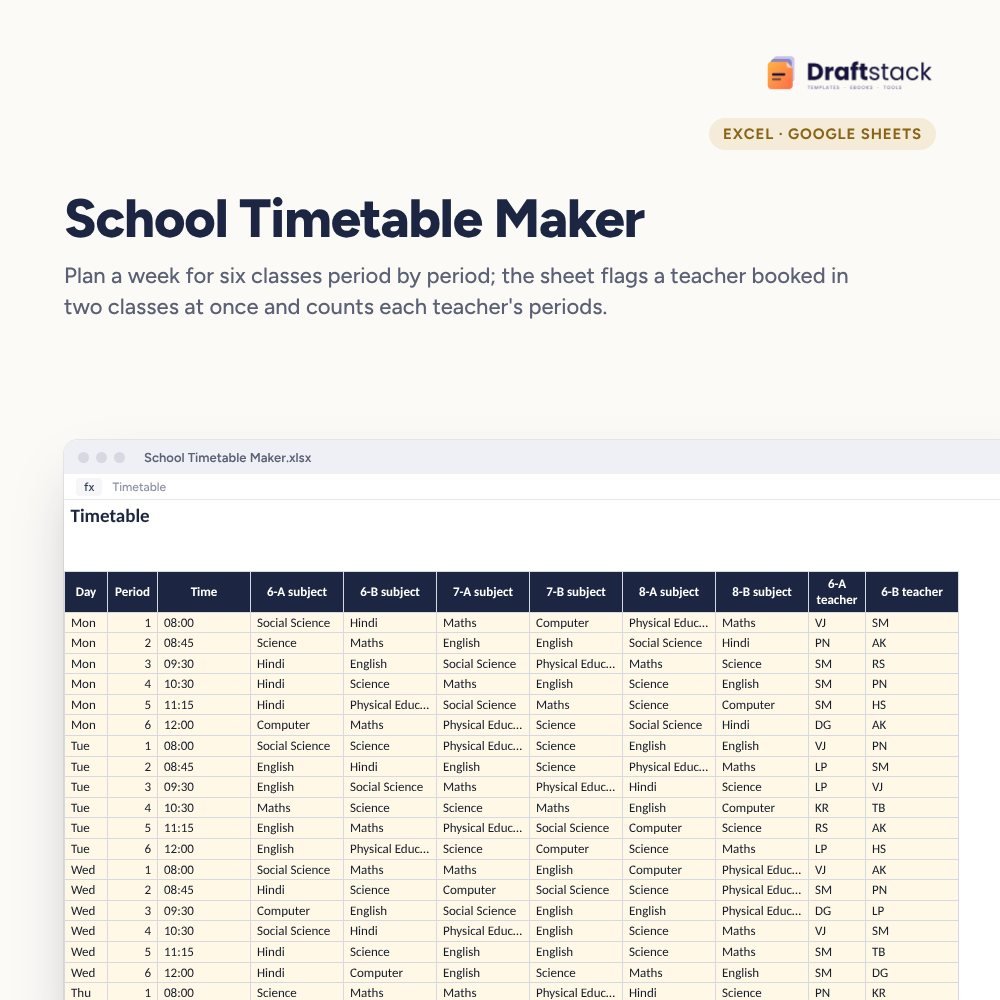 The template from this guideSchool Timetable Maker with Teacher Clash Check (Excel)
₹149
 WhatsApp
Free Monthly Budget Sheet
A printable one-page budget sheet: income, fixed bills, daily spending and savings for the month. Print it or fill it on your phone.
More guides
How to Teach Cursive Writing to Kids at Home
A simple step-by-step way to teach cursive handwriting to children at home: when to start, letter groups, daily practice and fixing common mistakes.
How to Plan a Weekly Workout at Home or Gym
A simple way to plan a weekly workout for beginners: choose a split, pick exercises, set sets and reps, rest properly and track progress every week.
75% Attendance Rule: How Schools and Colleges Track It
What the 75 percent attendance rule means for students, how attendance percentage is calculated, and how teachers can track defaulters every month.